Personal project · Browser app
Veer Reading Quest
Read. Picture it. Connect the clues. Prove your answer. A calm reading-practice app I built for my son Veer, with two learning levels and parent review.
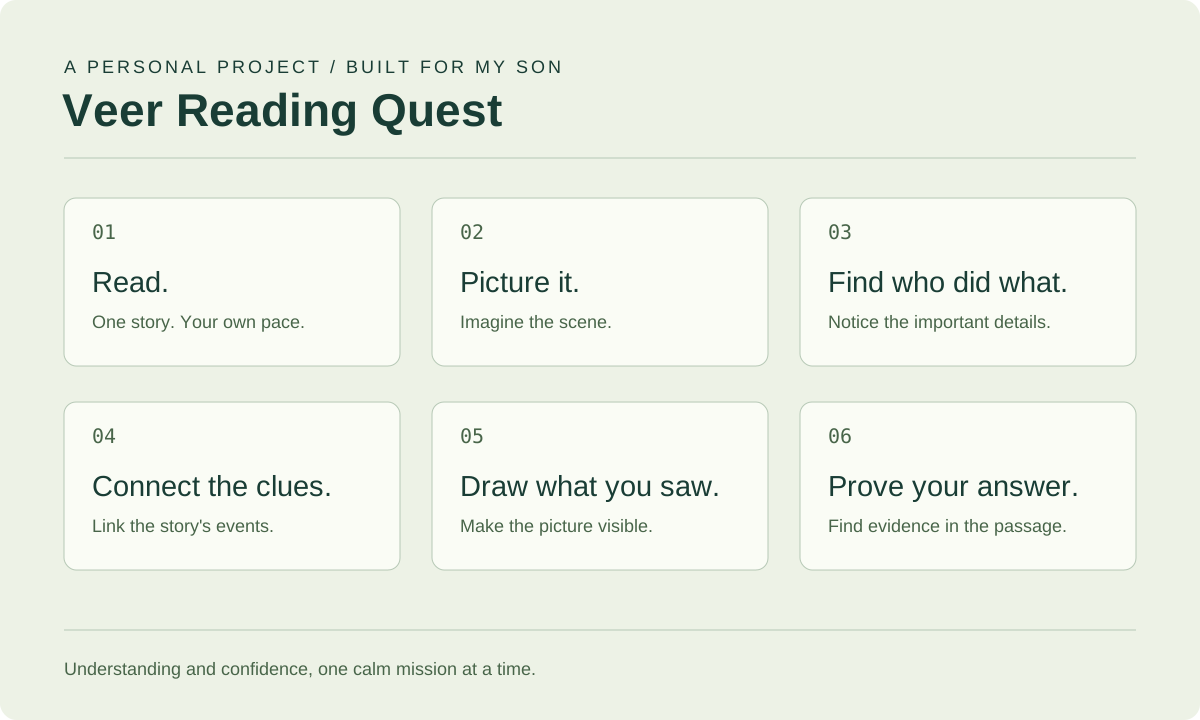
Built for my son
I built Veer Reading Quest for my son, Veer. The idea is simple: give a child time to understand a story, picture what happened, and explain an answer using words from the passage.
It is designed for third-grade readers, especially children who benefit from short activities, visual thinking, and extra focus support. The focus is understanding and confidence. There are no countdowns or speed penalties, and a child can repeat a favorite passage instead of working through a fixed sequence.
One habit, six small steps
Each mission follows the same sequence:
- I read. Take in the passage, all at once or one sentence at a time.
- I picture it. Imagine the people, place, and action.
- I find who did what. Put the important details into simple words.
- I connect the clues. Link story events with click-to-connect cards.
- I draw what I saw. Make the imagined scene visible on a drawing canvas.
- I prove my answer from the passage. Select the sentence that supports the answer.
The point of the last step is to return to the story. A plausible answer and an answer supported by the passage are not always the same thing.
Two levels of support
Level 0: Build the Reading Habit is the guided route. It includes reading, expression practice, short clue answers, visual connections, drawing, and an answer supported by evidence. Large, simple inputs help children identify the character, place, action, event, feeling, and problem.
Level 1: 3 Question Quest is shorter, for readers ready for fewer supports. Children identify the character, answer a comprehension question, and select the proof sentence.
Children can choose the level that fits the day. They do not need to finish every passage before progressing.
What a mission feels like
The app includes 20 original short stories, from island adventures and forest camps to school, friendship, space, and simple mysteries. Five easy Starter Adventure Missions introduce the routine, followed by Everyday Reading Missions.
A brief Coach Mode example demonstrates the method without repeating before every story. Children can read the full passage or move sentence by sentence, highlight words and sentences, and use Read Aloud, Repeat, or Help Me Think when they need support. Expression cues invite them to try a character’s emotion or change how a sentence sounds.
After connecting clues and drawing, children select sentences that explain their drawing and support their answer. The completion review brings together the passage, their response, helpful corrections, and one small next goal. Badges recognize effort, observation, expression, and finding proof.
Expression practice is self-reported. The app does not record or automatically assess a child’s voice. Drawing completion is tracked, but drawing images are not currently saved as a portfolio.
A view for parents
Separate reader profiles and parent codes keep each child’s work independent. Progress is saved on the server so parents can review it from another device.
Parent Mode brings together:
- Completed missions, answer results, proof selection, and drawing completion.
- Approximate practice minutes and steps where more support was needed.
- Strengths and practice needs across recent saved sessions.
- Reviews containing the original passage, the child’s answers, and supporting evidence.
- Custom passages and saved passage guides for student practice.
Uploaded open-ended answers remain available for parent review. They are not treated as automatically graded work.
Passage Helper: available page, analysis not yet active
The standalone Passage Helper is a separate adult utility outside Parent Mode. It lets adults upload or paste reading material and questions without accessing a child’s records.
As of October 4, 2026, automatic analysis is not active. The page is deployed, but summaries and answer generation are not live. The server API key and upload configuration still need to be set up.
The implemented workflow is intended to produce a summary, suggested answers, explanations, supporting passage quotes, editable results, and a downloadable guide once those dependencies are configured. The page explains that passage analysis sends the material and questions to OpenAI and asks adults to check answers against the passage. That workflow is separate from the core reading missions, which do not require AI.
Design choices and current limits
The app uses React, a Node server, server-side file storage, browser caching, and browser text-to-speech. Its layouts support desktop and tablet use. There are no ads, social feeds, or chat.
The app is hosted separately from Model Fieldnotes. The current preview links use HTTP, not an encrypted HTTPS connection. Parent codes, uploaded material, and saved reading work belong to that separate app; Model Fieldnotes does not host those records.